

Now in public beta · Local PHP development for the Mac
Every PHP site on your Mac, ready in seconds.
Rigly is a native menu bar app that serves your projects at name.test with Caddy,
every PHP version from 7.4 to 8.5, Node, databases, a mail catcher, dumps and public sharing. No Docker,
no Homebrew, no config files.
macOS 15 Sequoia or later · Apple silicon and Intel · Signed and notarized by Apple · Updates itself
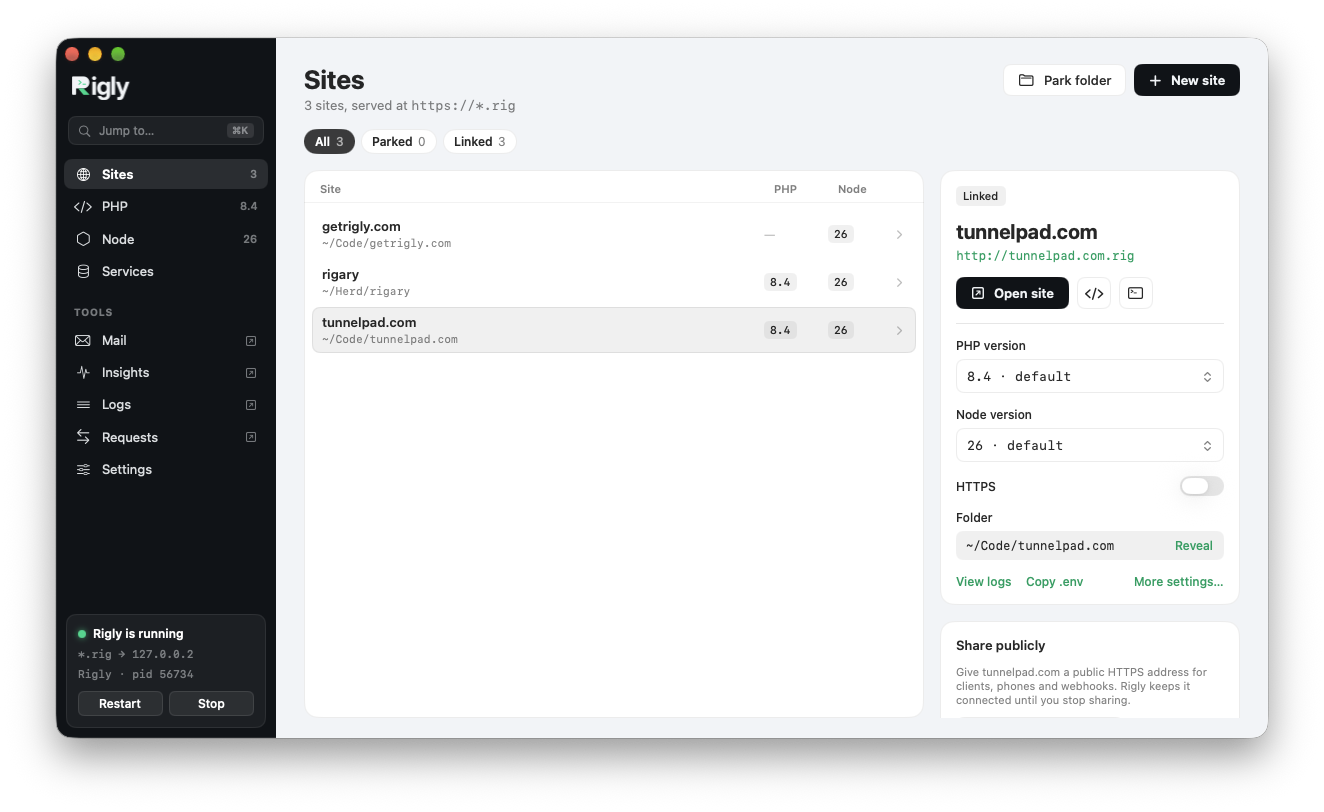
Everything a PHP project needs, nothing it doesn't.
Sites without setup
Park a folder and every project in it is served at folder.test. Link single projects, proxy
Vite or Node servers, add aliases and turn on HTTPS with one switch.
Every PHP version
PHP 7.4 to 8.5, side by side. Pick a default, pin a site to its own version, change php.ini settings for all of them, and switch Xdebug, PCOV and SPX on when you need them.
Databases and services
MySQL, PostgreSQL, MariaDB, Redis, MongoDB, Meilisearch, Typesense and MinIO, one click each. Run several versions at once, each on its own port.
Mail and dumps
Every email your apps send is caught and shown, per project. dump() and dd()
go to a viewer instead of breaking the page, alongside queries, jobs, views, HTTP calls and logs.
Share with anyone
Give a client or a webhook a public HTTPS address for any site through TunnelPad, and inspect and replay every request it receives.
Workspaces
Work on a branch at its own address: Rigly makes a second copy of a site on a new git branch, with its own database cloned from the original.
New projects in one step
Create a Laravel app with a starter kit, or a WordPress site with its database, and it's served the moment it's ready.
A real command line
Everything in the app is also a rigly command, and rigly.yml lets a teammate
get the same PHP, Node, services and domains with rigly init.
Plays well with others
Already using Laravel Herd or Valet? Rigly notices and runs alongside on .rig, so you can
try it without changing anything.
PHP
Every version, one default, no fuss.
Install PHP 7.4 to 8.5 with a click, choose the default and pin sites to their own version. Xdebug, PCOV and the SPX profiler are a switch away, and Xdebug only slows down the requests that ask for it.
PHP in Rigly →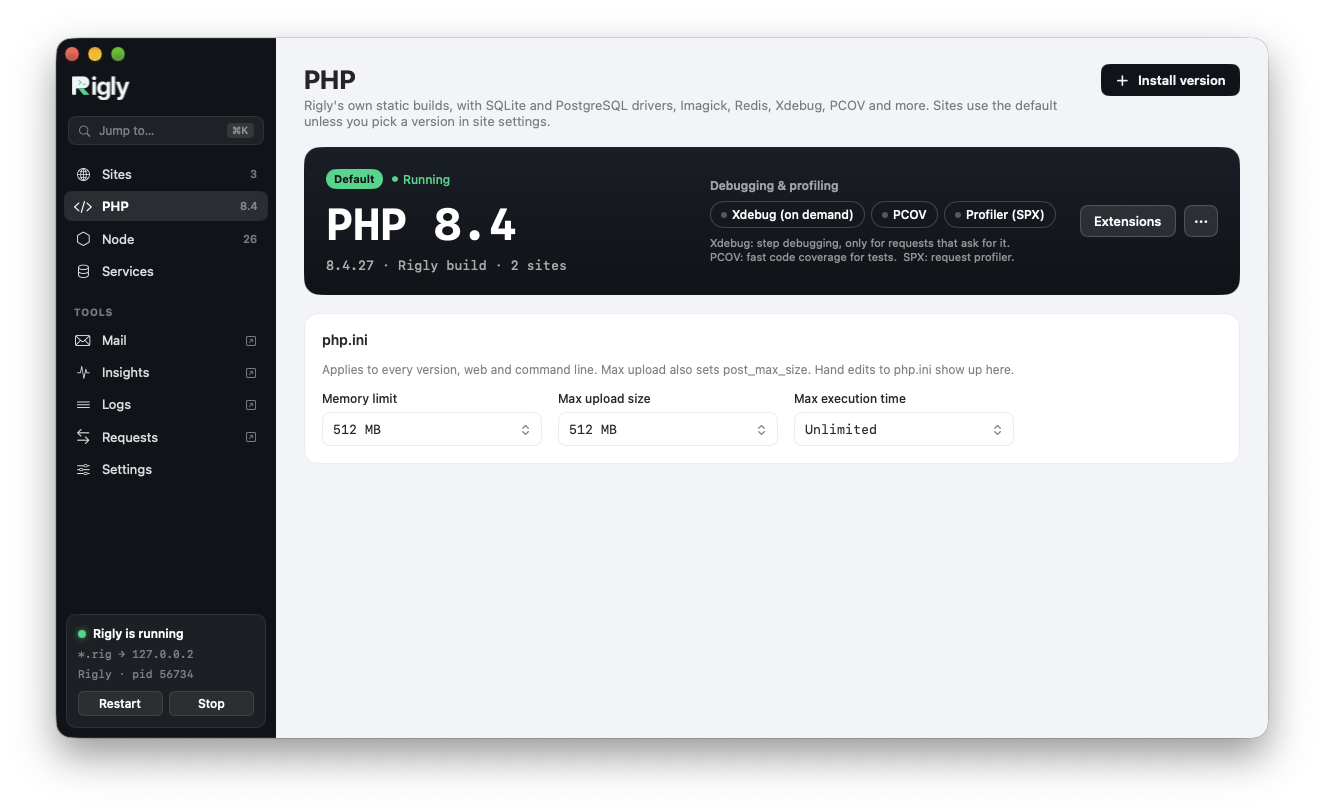
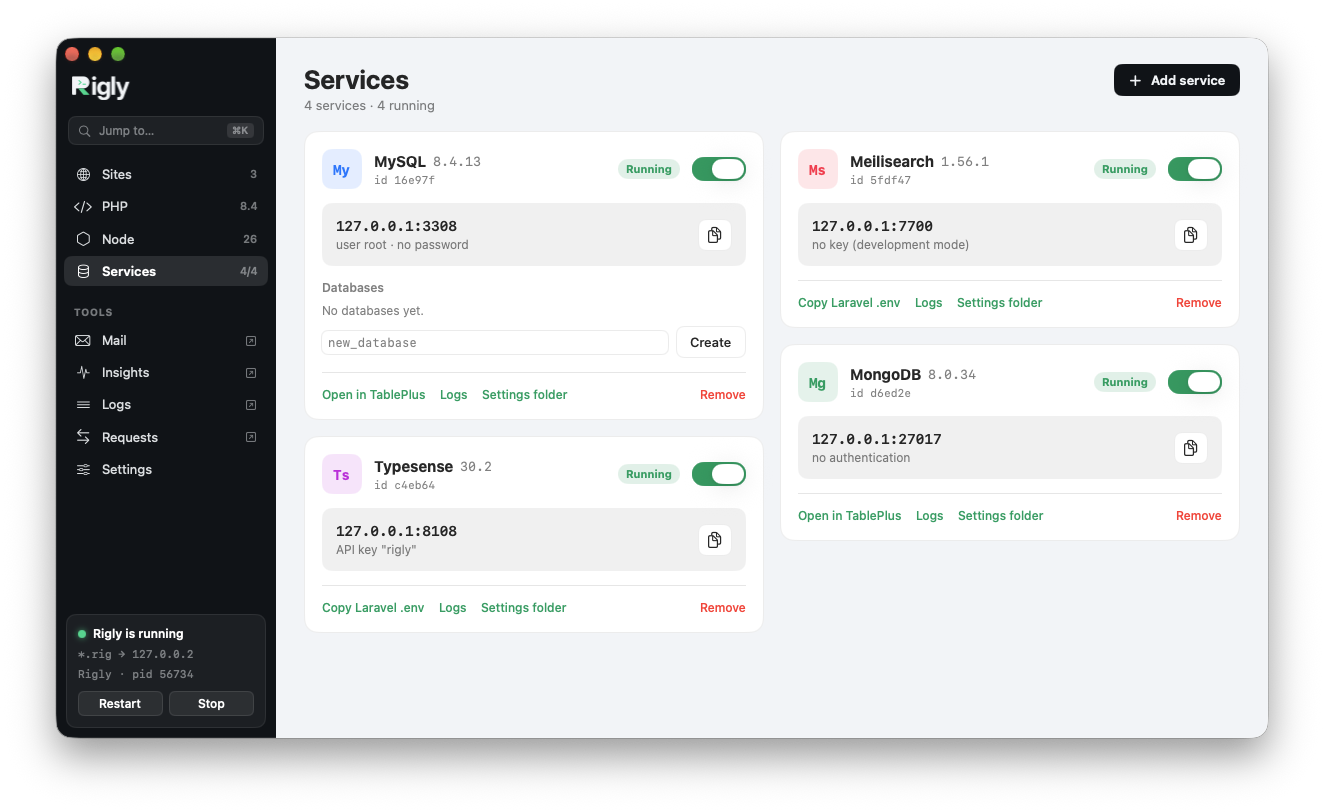
Services
Databases in a click, side by side.
MySQL, PostgreSQL, MariaDB, Redis, MongoDB, Meilisearch, Typesense and MinIO. Each gets its own port,
so several versions run at once, next to anything else on your Mac. Create databases and copy the
.env settings right from the card.
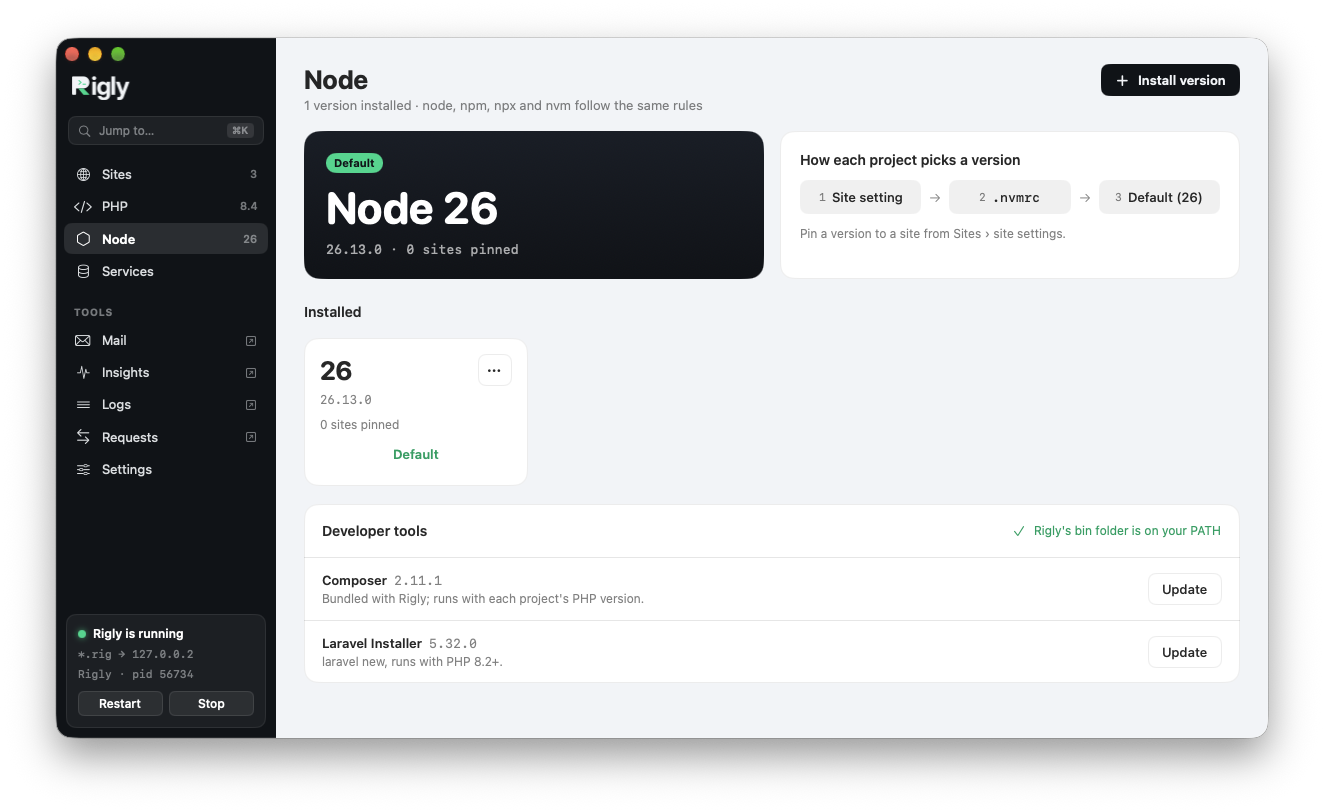
Node
The right Node for every project.
Rigly manages Node through nvm and picks the version for each project from its site setting, its
.nvmrc or your default. Composer and the Laravel installer come bundled.
Or drive it from the terminal.
The app and the rigly command share the same settings, so use whichever is closer to hand.
~/Code $ rigly park
✓ Parked /Users/you/Code. Its folders are served as <folder>.test
~/Code/shop $ rigly secure
✓ https://shop.test
~/Code/shop $ rigly isolate 8.3
✓ shop now uses PHP 8.3.
~/Code/shop $ rigly service:add mysql
✓ MySQL 8.4 (mysql) on 127.0.0.1:3306, user root · no password.
~/Code/shop $ rigly share
✓ shop is shared at https://shop-k2x9.tunnelpad.dev
Native, small and quiet.
Built for macOS
A Swift app that lives in your menu bar. No Electron, no virtual machine, no containers.
Self-contained
Everything goes in one folder in your Library. Rigly doesn't touch Homebrew or your system PHP.
One password prompt
Setup asks once, to route .test to your Mac. Trusting the HTTPS certificate waits until you use HTTPS.
Start serving your sites.
Download Rigly, drag it to Applications and click Install. Your first site is a minute away.
Rigly is in beta: tell us what works, what doesn't and what you'd like next.