

Services
Rigly can run the databases and search engines your projects need. Each runs as its own service, on its own port, and only accepts connections from your Mac.
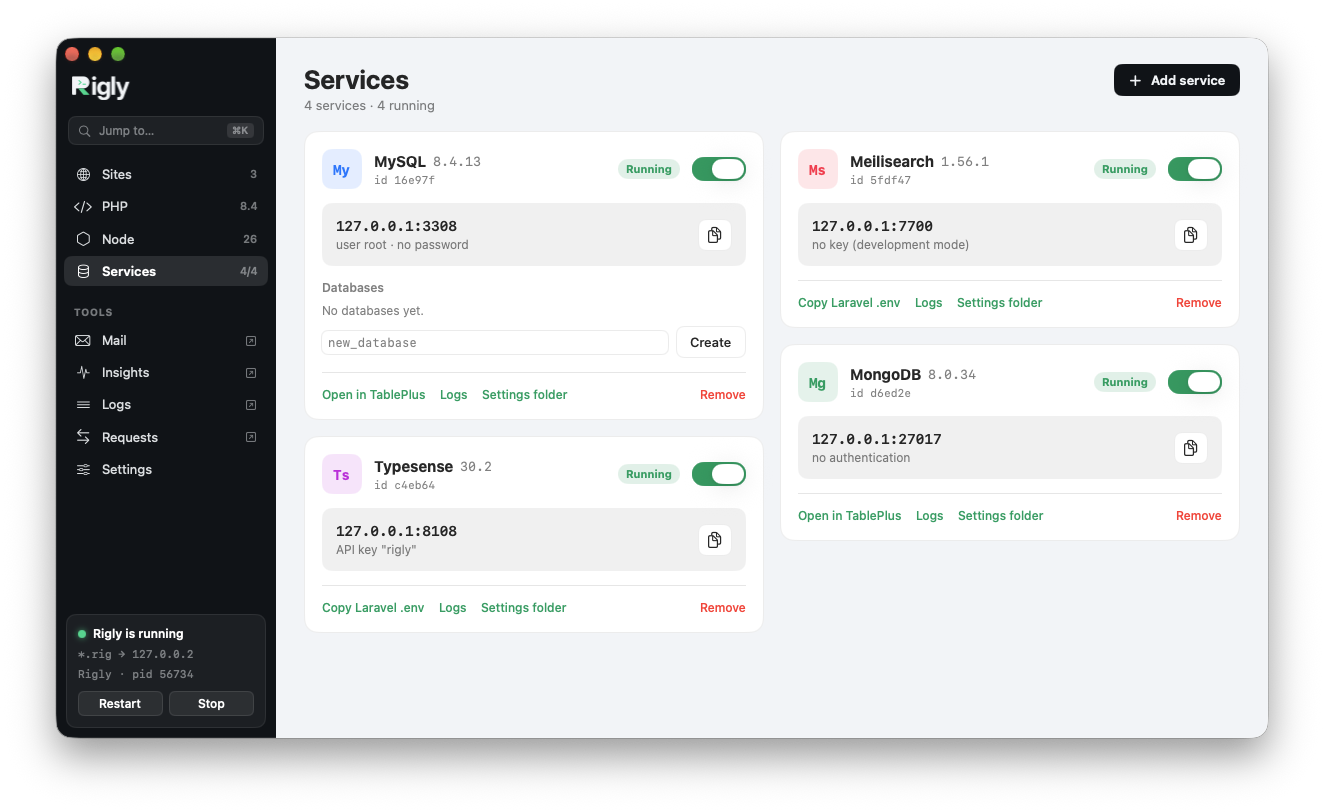
Available services
| Service | Versions | Port | Notes |
|---|---|---|---|
| MySQL | 9.7, 8.4, 8.0 | 3306 | User root, no password. Oracle's official build. |
| PostgreSQL | 18, 17, 16, 15, 14 | 5432 | |
| MariaDB | 12.3, 11.8, 11.4, 10.11 | 3306 | User root, no password. |
| Redis | 8 | 6379 | No password. Without the optional modules (RedisJSON, RediSearch and others). |
| MongoDB | 8.0, 7.0 | 27017 | |
| Meilisearch | 1 | 7700 | |
| Typesense | 30 | 8108 | |
| MinIO | latest | 9000 | S3-compatible storage. |
Add a service
On the Services page, click Add service and choose one. Each service then has a card with its address and login, a switch to start and stop it, its logs and settings folder, and Copy Laravel .env or Open in TablePlus. From the command line:
rigly service:add mysql
rigly service:add postgres --version 17
rigly service:add redis
Rigly downloads the service, starts it, and prints the settings for a Laravel .env:
✓ MySQL 8.4 (mysql) on 127.0.0.1:3306, user root · no password.

DB_CONNECTION=mysql
DB_HOST=127.0.0.1
DB_PORT=3306
DB_DATABASE=laravel
DB_USERNAME=root
DB_PASSWORD=
Several versions at once
Add a service again with another version, and it gets the next free port: MySQL 8.0 next to MySQL 8.4 runs on 3307. The same applies if another app already uses the standard port, so Rigly runs happily next to Herd's or Homebrew's databases.
rigly service:add mysql --version 8.0          # → port 3307
rigly service:add mysql --version 8.0 --port 3310
Start, stop and remove
rigly services                   # every service, with its id, port and state
rigly service:stop mysql
rigly service:start mysql
rigly service:remove mysql-80
rigly service:remove mysql-80 --delete-data
Services start with Rigly. Stopping one keeps it stopped until you start it again. Removing a service keeps its data unless you add --delete-data, so you can add it back later.
Command-line clients
Rigly adds command-line clients that connect to the first service of each kind: mysql, mysqldump and mysqladmin for MySQL, mariadb, mariadb-dump and mariadb-admin for MariaDB, redis-cli for Redis and mongosh for MongoDB.
Where data lives
Each service keeps its data in ~/Library/Application Support/Rigly/data/<id>. MySQL and MariaDB settings are generated in config/services/<id>/my.cnf; put your own in conf.d/*.cnf next to it. Logs are in the app's Logs window, or rigly logs <id>.