

PHP
Rigly installs its own builds of PHP 7.4, 8.0, 8.1, 8.2, 8.3, 8.4 and 8.5, side by side. They come with the extensions Laravel, WordPress, Symfony and most other PHP apps need, and don't touch any other PHP on your Mac.
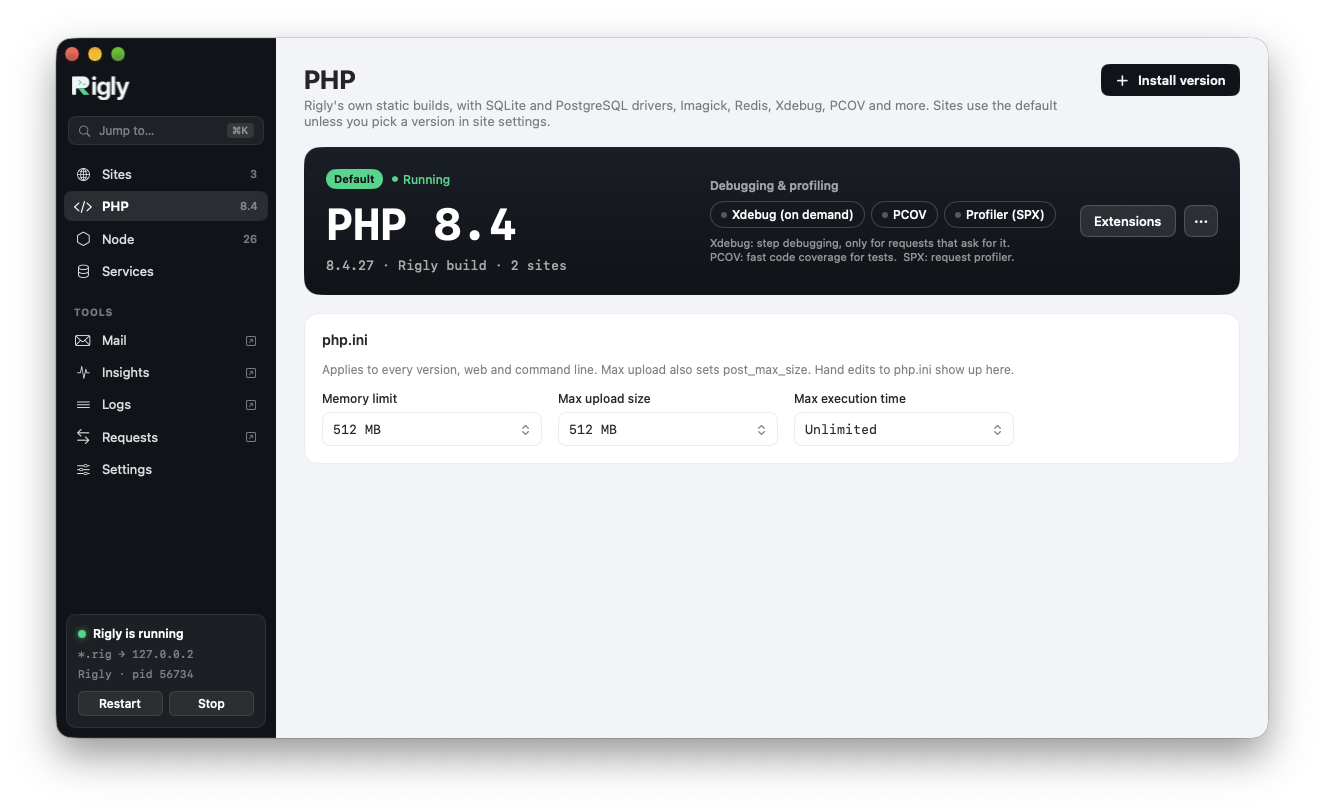
Install and update versions
The PHP page in the app shows your versions; Install version adds another, and each version's menu updates or removes it. From the command line:
rigly php:list              # installed versions, and which is the default
rigly php:install 8.3
rigly php:update            # update installed versions to Rigly's latest builds
rigly php:uninstall 8.1
PHP 7.4 and 8.0 no longer get security fixes from the PHP project. Rigly offers them for older projects, marked as end of life.
The default version
Sites use the default PHP version unless they're pinned to another. Rigly starts with PHP 8.4.
rigly use 8.5
Per-site versions
Pin a site to a version, and it keeps that version whatever the default:
cd ~/Code/legacy
rigly isolate 7.4
rigly unisolate             # back to the default
In the app, choose the version in the site's settings. Rigly installs the version first if you don't have it.
The php command
Rigly's php command runs the PHP version of the site you're in. In ~/Code/legacy it's PHP 7.4; elsewhere it's the default. composer, artisan and other PHP tools use it too, so they always match the site.
cd ~/Code/legacy
php -v                      # PHP 7.4
php artisan migrate
This needs Rigly's bin folder on your PATH. See Installation.
php.ini settings
The common settings are in the app's PHP page, and apply to every version:
| Setting | Default |
|---|---|
memory_limit |
512M |
upload_max_filesize (and post_max_size) |
512M |
max_execution_time |
0 (no limit) |
rigly php:set                         # show the current values
rigly php:set memory_limit 1G
rigly php:set max_execution_time 300
For anything else, click Edit php.ini for a version on the PHP page, or add a .ini file to its conf.d folder, in ~/Library/Application Support/Rigly/config/php/<version>/conf.d/, which is loaded after Rigly's settings.
Extensions
To see what a version includes:
rigly ext:list
rigly ext:list --php 8.3
Three extensions are left off until you need them, because they slow PHP down:
rigly ext:on xdebug         # step debugging
rigly ext:on pcov           # code coverage for tests
rigly ext:on spx            # profiling
rigly ext:off xdebug
Add --php <version> to change a version other than the default.
Xdebug
Turning Xdebug on doesn't slow your sites down: Rigly runs a second PHP process with Xdebug loaded, and only sends it the requests that ask for a debug session. Everything else runs at full speed.
Xdebug uses xdebug.mode=debug, starts on a trigger and connects to your editor on port 9003. Start a session with a browser extension such as Xdebug Helper, or add ?XDEBUG_SESSION_START=1 to the address.
SPX
With SPX on, the site's Profile button opens SPX's profiler for that site. You can also open https://<site>.test/?SPX_KEY=rigly&SPX_UI_URI=/.