

Sites
A site is a project Rigly serves at its own address. Rigly works out how to serve each one: Laravel, WordPress, Symfony, Craft, plain PHP or static HTML.
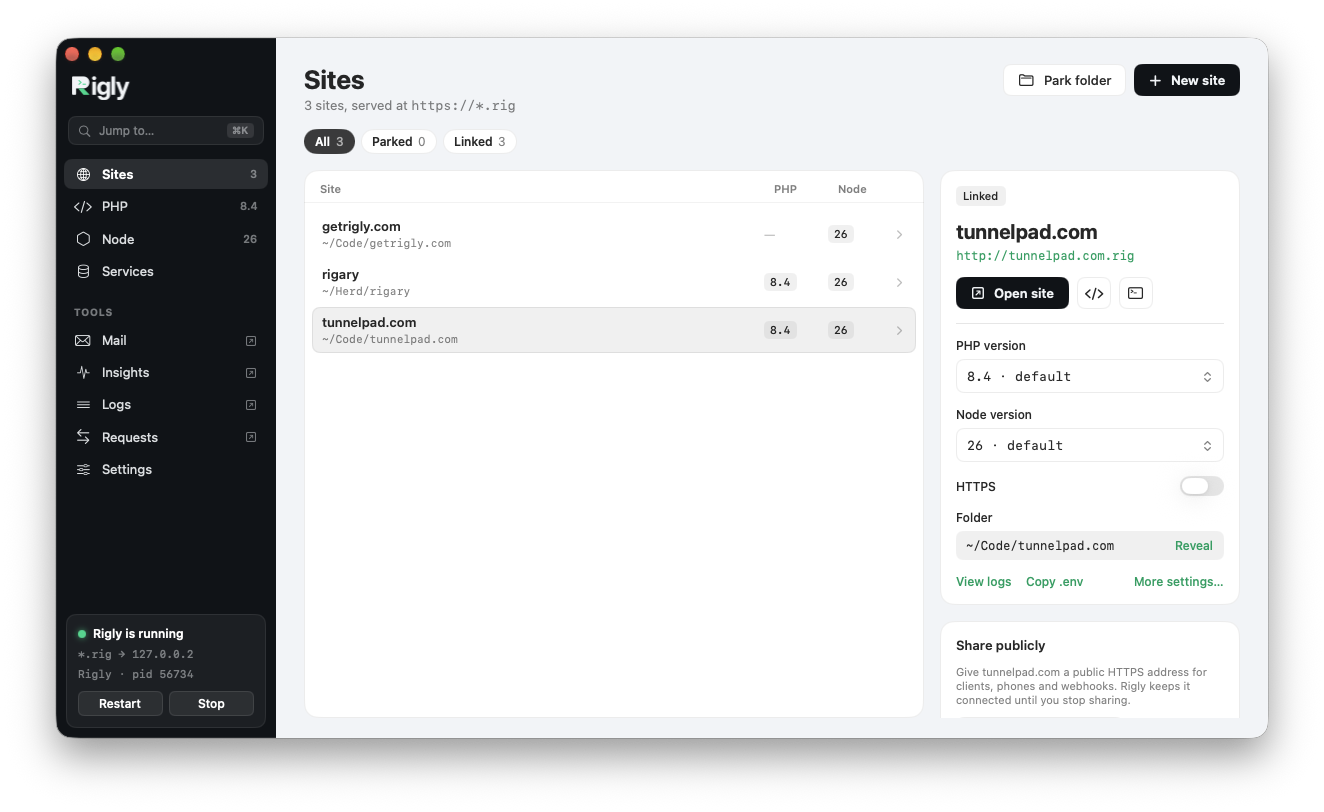
Park a folder
Parking a folder serves every folder inside it, by name. Park ~/Code, and ~/Code/shop is served at shop.test, ~/Code/blog at blog.test, and any project you add later is served the moment it appears.
In the app, click Park folder on the Sites page. From the command line:
cd ~/Code
rigly park
rigly parked lists parked folders and rigly unpark stops serving one. You can park as many folders as you like.
Link a single project
To serve a project that isn't in a parked folder, or under a different name, link it:
cd ~/Projects/client-site
rigly link                 # client-site.test
rigly link acme            # acme.test
rigly link acme --secure --php 8.3
In the app, choose New site → Link Existing Folder…. rigly unlink removes a link; the project's files aren't touched.
Open and find sites
rigly sites           # every site, with its PHP version and URL
rigly which           # which site serves the current folder
rigly open            # open the current folder's site in your browser
rigly open blog
In the app, the Sites page lists everything, with filters for parked, linked and proxied sites, and Jump to (⌘K) finds a site by name. Star a site to keep it at the top of the list.
Web root
Rigly serves the right folder for each kind of project:
| Project | Serves |
|---|---|
| Laravel | public/ |
| Other PHP apps with a front controller | public/, web/, public_html/, httpdocs/, htdocs/, html/ or www/, whichever has index.php |
| WordPress and plain PHP | the project folder |
| Static sites | public/, dist/, build/, _site/ or out/, whichever has index.html |
To choose a different folder:
rigly root dist           # serve ./dist
rigly root --reset        # go back to automatic
Proxies
A proxy gives a local server its own address. Use it for a Vite dev server, a Node app, a container or anything else listening on a port:
rigly proxy vite 5173                      # vite.test → localhost:5173
rigly proxy api http://127.0.0.1:8080 --secure
rigly unproxy vite
In the app, choose New site → Proxy….
Aliases
An alias serves a site at another address as well, for apps that answer to several domains:
cd ~/Code/shop
rigly alias admin-shop    # admin-shop.test serves shop too
rigly unalias admin-shop
Per-site settings
Each site can have its own:
In the app, select a site to see these settings, or open More settings…. To share a site's settings with your team, put them in a rigly.yml.
Laravel logs
rigly log shows the newest entries from a Laravel site's storage/logs, and the app shows them in each site's Logs.